
Back to Blogs
Industry
How Digital Saree Printing Achieves Precise Border and Pattern Alignment
Watch a buyer inspect a saree at a Surat wholesale market, and you'll notice where their attention goes first: the border, the pallu and how neatly the design comes together. Even a slight misalignment can make an otherwise beautiful saree look poorly finished. A border that drifts away from the selvedge or a printed motif that doesn't sit correctly against a woven zari pattern can be enough to get an entire lot rejected.
Colorix
15 Nov 2026 · 5 min read
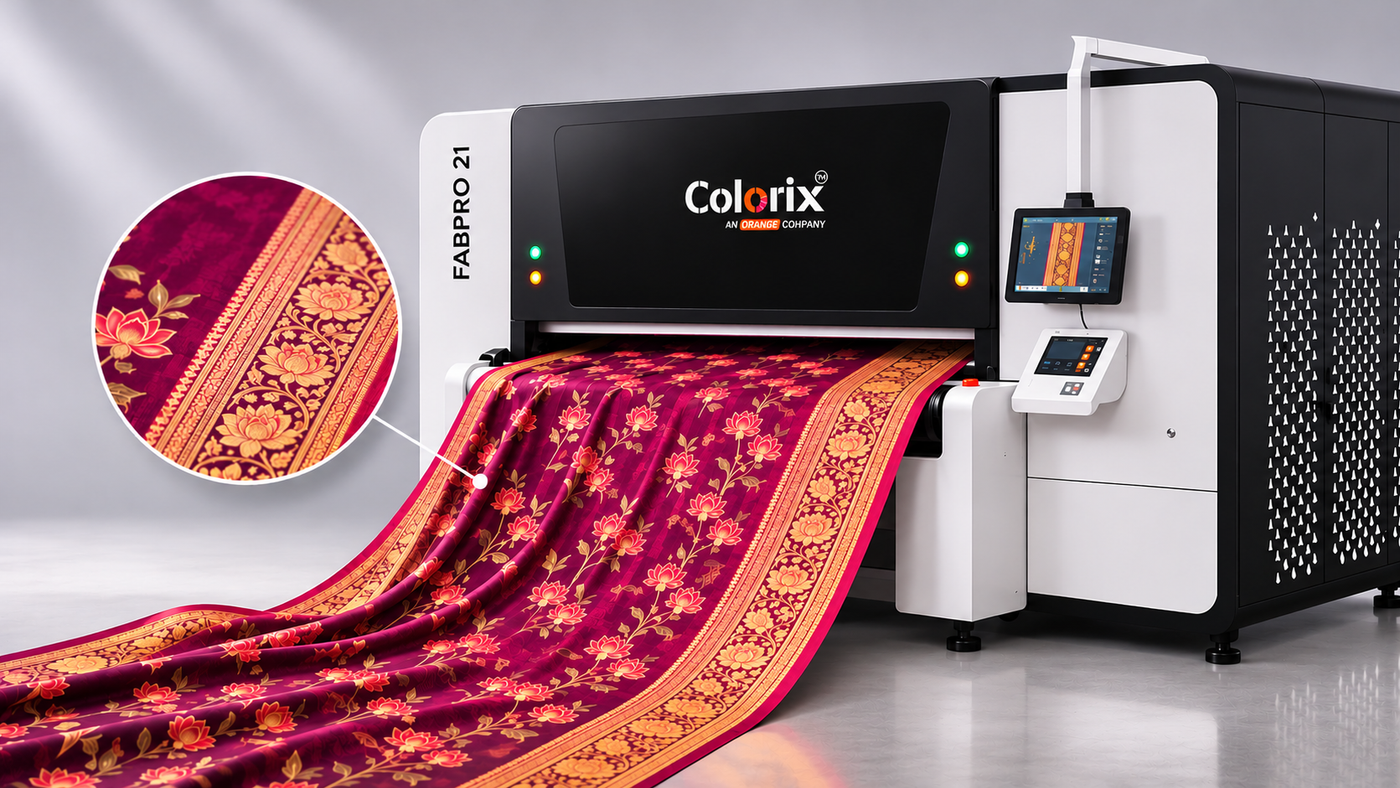
This is one of the biggest challenges in digital saree printing. Unlike an all-over fabric pattern, a saree design has distinct sections that must come together with precision.
The border needs to stay straight, the body pattern must remain consistent, and the pallu has to fall exactly where the design intends it to. Achieving this requires more than accurate printing. It calls for precise design layout, stable fabric handling and, in some cases, vision-based positioning that adjusts the print to the fabric itself.
Why do borders go wrong more often on sarees?
A dress fabric usually carries an all-over repeat, and if that repeat drifts a little, nobody notices, because there's no fixed edge to compare it with.
A saree is a different kind of product. Think of it as four designs sharing one length of cloth. There's the body and a border down the edge, plus the pallu at one end and usually a blouse piece at the other. A border is basically one long ruler line, and people are ruthless with those. The pallu also has to begin where the body pattern ends, not a hand-span earlier.
So saree design printing isn't really pattern printing. It's placement printing over a long length, which is much harder to get right.
Where does misalignment actually come from?
On the production floor, a crooked border usually starts in one of five places.
Does the fabric move while it's printed?
More than you'd think. Georgette and chiffon give a little every time they're pulled, and fine silk can slide just from the belt starting and stopping. Unless the cloth is pinned flat under the heads, ink lands where the fabric sat a split second earlier.
Skewed or bowed weft
Finishing ranges don't always hand you a square fabric. Sometimes the weft runs at a slight slant across the width, which is skew, and sometimes it sags into a gentle curve, which is bow. On the roll you'd never spot it. Print a straight border on it and the border looks fine against the machine. Once the saree is draped, that same border seems to wander away from the weave.
The file assumes a perfect fabric
Designers usually build the layout to the width written on the order, but the roll that actually turns up at the printer rarely matches it exactly. Put a border hard against the file edge and it'll either fall off the cloth or leave a fat margin on one side and a sliver on the other.
What steaming and washing do to the layout
Some fabrics shrink once they've been steamed and washed. Not always evenly, either. A layout that was spot on at the printer can come out of the washer with the pallu slightly squashed.
The fabric already carries a design
This one's the toughest. You'll see it on rack after rack in any saree market today. A printed body with a woven jacquard or zari border sells well. So does print worked around embroidery and sequins. Looms and embroidery machines don't repeat with perfect spacing down a roll, though. Feed the printer a file that assumes they do, and the print slips a little further off the motifs with every repeat.
How does digital printing on sarees solve the old registration problem?
Screen and rotary machines lay down one colour per screen. When every screen sits perfectly against the others and against the border too, you've got a good print that holds up across a long run. Miss by a hair on one, and that error rides along for the rest of the run. Every metre of it.
Digital printing on sarees sidesteps the whole issue. The printer receives the design as a single file with all its colours and builds them up in the same passes. With no separate screens to line up, the reds and golds inside a border motif simply can't drift apart from each other.
What's left is making sure that one image lands in the right place. On plain fabric, good digital fabric printing handles this in four ways:
- Fabric hold-down: the cloth sticks to an adhesive conveyor belt and travels with it. Nothing gets a chance to stretch or creep while the heads are working.
- Steady feed: tension stays even as the fabric comes in. On silk and georgette, few things matter more.
- Engineered layouts in the RIP: instead of a simple repeat, the whole saree is set up as one panel (blouse piece, body with borders, pallu), then stepped down the roll with cut marks in between.
- Colour management: the border often picks up the body colour in a different motif. If that shade shifts halfway down the roll, the two stop looking like they belong together.
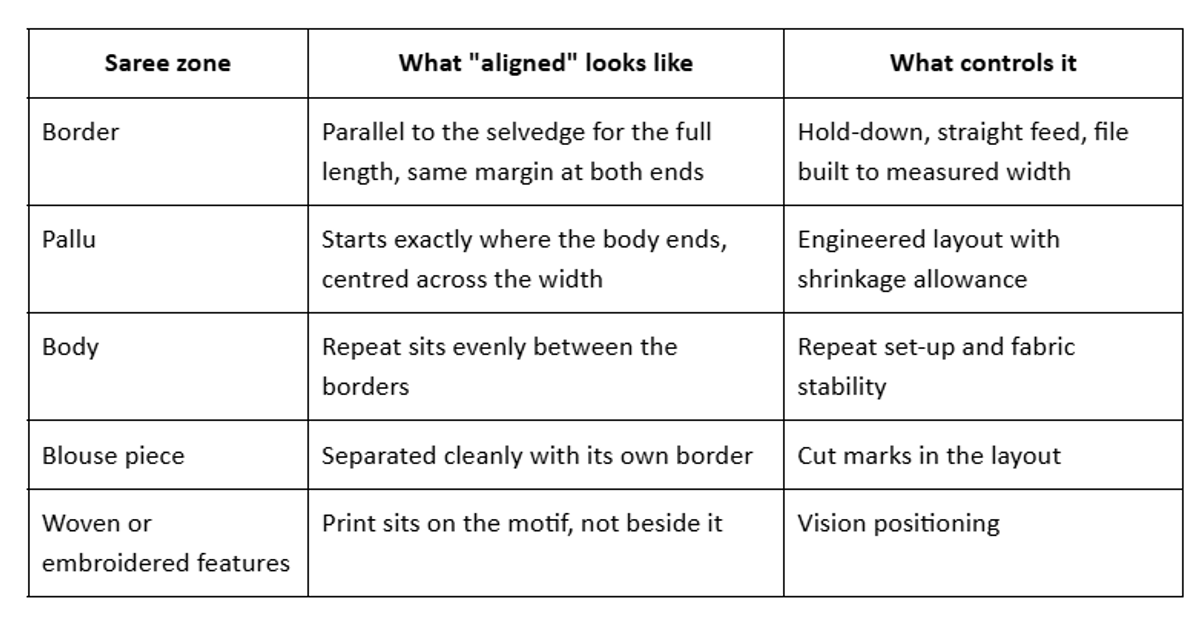
That last row is where a standard digital saree printing machine reaches its limit.
How positioning printing handles jacquard and embroidery
With a jacquard or embroidered base, even a perfect file won't save you. The printer has to follow the fabric.
A camera scans each section before it's printed, hunting for landmarks such as the edge of a jacquard border or the outline of an embroidered paisley. The software lays those landmarks over the design template, measures the gap and nudges the artwork to close it before a single drop of ink goes down. You end up with colour sitting inside the motif, not smeared over its edge.
That changes what a saree unit can offer. You can add shading inside an embroidered flower, or colour a woven border right along its own outline. One plain jacquard base can even become several multicolour designs, with no yarn dyed specially for each.
Raised surfaces bring one more problem. Sequins and dense embroidery sit proud of the cloth while the printheads skim very close to it, so the machine has to spot those bumps early or the heads take the damage.
Image ref: Close-up of a jacquard saree border where the digital print sits inside the woven motif outlines
Do you actually need a positioning saree printing machine?
Honestly, plenty of saree printers don't. When the whole saree goes onto plain fabric, borders included, a properly set-up direct-to-fabric printer will keep things in line. Your bigger wins there are a clean layout file and fabric that comes off the roll square and well pre-treated. A vision system bought to rescue a sloppy file just moves the problem somewhere pricier.
A positioning saree printing machine earns its place when the print has to meet something already on the fabric:
- a printed body with woven jacquard or zari borders
- embroidered or sequinned sarees that need colour around the work
- lace and open weaves, where print has to avoid the gaps
- premium silk sarees printed on both sides, with the two faces matching
Scanning and correcting take time, though, so positioning mode runs slower than regular printing. For premium sarees, where one misprint costs more than the lost time, that's an easy call. For everyday printed georgette, it usually isn't. Our guide to factors to consider before buying a textile printing machine covers what else to weigh.
How Position Pro Handles Complex Saree Designs
If your sarees depend on woven or embroidered features, this is where Colorix Position Pro comes in. It's the direct-to-fabric positioning printer we build in India under our Colorix brand.
Position Pro's own vision system scans the cloth, latches onto reference points and corrects for distortion as it goes. So the print follows the weave or embroidery actually in front of it. Not an idealised file. There's a dedicated positioning mode for textured bases and faster regular modes for plain fabric, which means one machine can run a jacquard bridal order in the morning and plain georgette after lunch.
Its sensors watch for raised embroidery and sequins and keep them clear of the printheads, something you'll appreciate on heavy festive bases. The colour management software reads the design file and calibrates on the fly, so the border at the end of the roll still matches the one at the start. It runs Kyocera industrial printheads and takes reactive, acid, pigment and disperse inks. That covers cotton and silk sarees, and synthetics too. It also supports double-sided silk printing (our piece on printing designs on both sides of fabric explains how that works).
Who it isn't for: if every saree you make is printed on plain fabric, a standard direct-to-fabric printer is probably the better use of your budget.
How to Evaluate Saree Printing Accuracy Before Buying
Most machine demonstrations end with a good-looking fabric swatch. It can tell you a lot about colour reproduction and print quality, but very little about alignment across an entire saree.
For a meaningful evaluation, ask for a full-length sample on your own fabric using the fabric printing machine. Then check it like a buyer.
- Lay it flat and compare the border margin at the start and at the pallu end.
- Fold it as it'll sit on a shop shelf. Look at the border on the fold first, because that's where a buyer looks.
- Put it through steaming and washing, then check again. Fine before washing but off after? Don't blame the printer yet. Check the file and your shrinkage allowance first.
- With jacquard or embroidered bases, don't stop at the first few motifs. Go to the end of the roll, where any drift will have piled up.
FAQs
Can digital printing line up with a woven zari border?
With a positioning printer, it can come very close, because the vision system finds the border's edges and fits the print to them. A standard digital printer can't see the weave, so it prints to the file and drifts wherever the weaving varies.
Is digital saree printing suitable for silk and georgette?
Depends on the fibre. Pure silk and silk georgette usually take acid inks, while polyester georgette needs disperse inks. Handling is the harder part, since both stretch the moment you pull them.
Does vision positioning slow production down?
Yes, somewhat. That's why most producers switch to positioning mode only for placement-critical jobs.
How should a saree file be prepared for digital textile printing?
Build it as one engineered panel to the measured width of the actual fabric rather than its nominal width, then mark each zone clearly and add cut lines between sarees. Keep a little breathing room at the selvedge. And if the fabric shrinks in the steamer, allow for it in the layout up front, since there's no correcting it once the saree is printed.
Not sure whether your sarees need positioning or just tighter file prep? A full-length sample on your own fabric will tell you, usually right there on the fold.
If your sarees carry woven borders or embroidery, talk to the Orange O Tec team. We'll help you work out whether positioning printing fits your fabrics and production.