
Back to Blogs
Industry
Digital Printing vs Offset Printing: Which One Is Right for You?
A publisher calls with two jobs. One is a school workbook that needs a different cover name for every book. The other is a novel that sold well enough to justify a big reprint.
Colorix
20 Oct 2026 · 5 min read
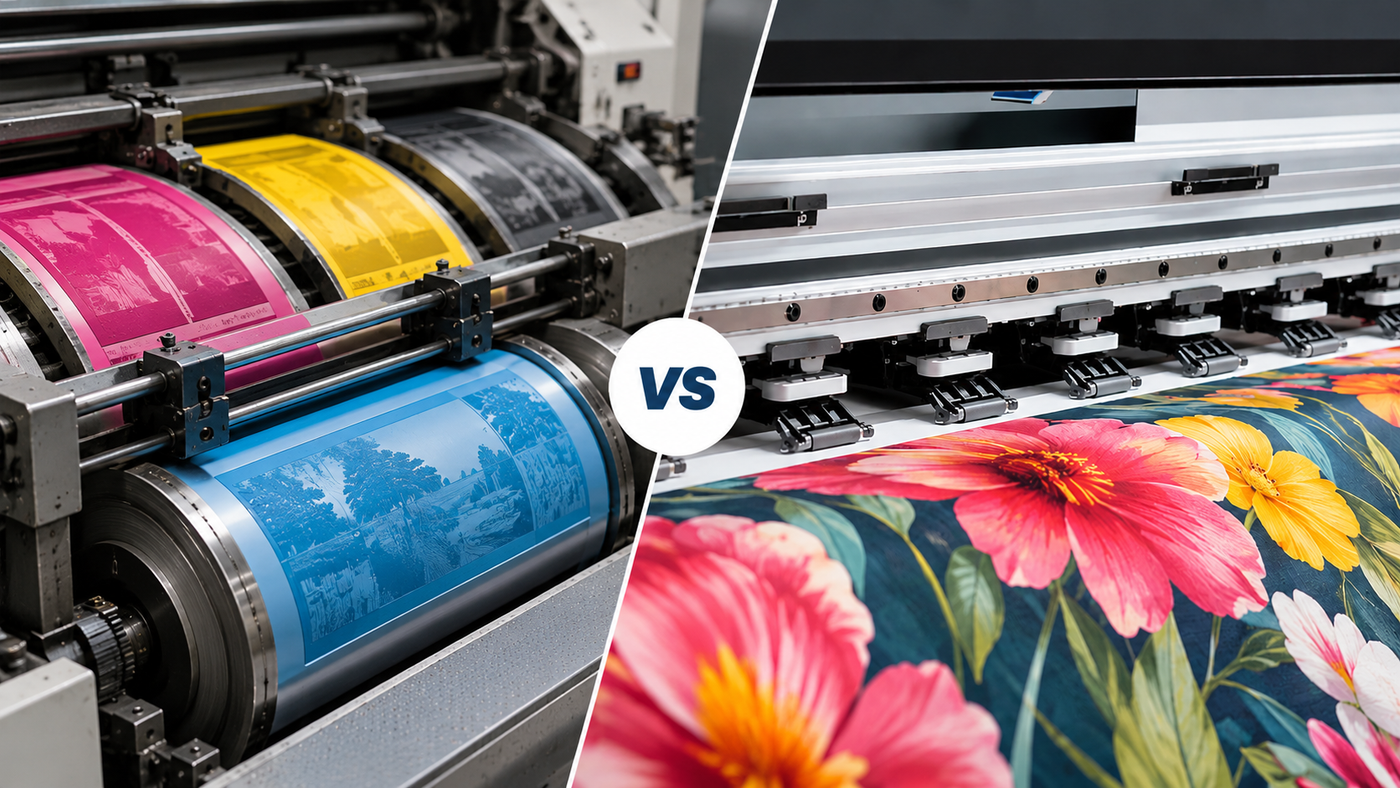
Those two jobs belong on different presses, and that's most of the digital printing vs offset printing question answered. Digital suits short runs and anything that changes from copy to copy. Offset suits long runs of the same thing, where its setup cost gets spread thin. If you're buying a machine rather than placing an order, the harder question is which kind of work your business actually gets most of.
What actually happens inside an offset press?
The offset printing process starts much before ink touches paper. Artwork is split into colour separations, usually cyan, magenta, yellow and black. Each one gets exposed onto its own metal plate, and every plate has to be mounted and locked onto the press before a single sheet runs.
On the plate, ink clings to the image areas while water keeps the rest clean. The inked image moves onto a rubber blanket first and only then onto the paper. That's where the name comes from. It's also part of why offset looks so even, because the soft blanket presses ink smoothly into the paper surface instead of stamping it on with hard metal.
Then there's make-ready. The operator balances ink against water and pulls the colours into register. Sheets keep running until they match the approved proof, and every one of them goes in the waste pile. Once the press settles, though, it runs fast and stays steady for a very long time, which is exactly what you want on a job that fills an entire shift.
And the digital printing process?
The digital printing process skips plates. The press reads the file and puts the image straight onto the paper through inkjet heads or toner, so the first good sheet arrives almost immediately.
No plate means no fixed image. Every page can be different. A student's name or a regional language edition makes no difference to the press. It's called variable data printing. Offset can't do it within a run.
Production inkjet has grown up as well, especially in the kind of work it can now take on. Many presses now print from paper rolls rather than cut sheets, and some of them print both sides of the roll in a single pass at genuine production speed. That's what moved digital out of the copy-shop corner and into serious book and label production.
Digital printing vs offset printing
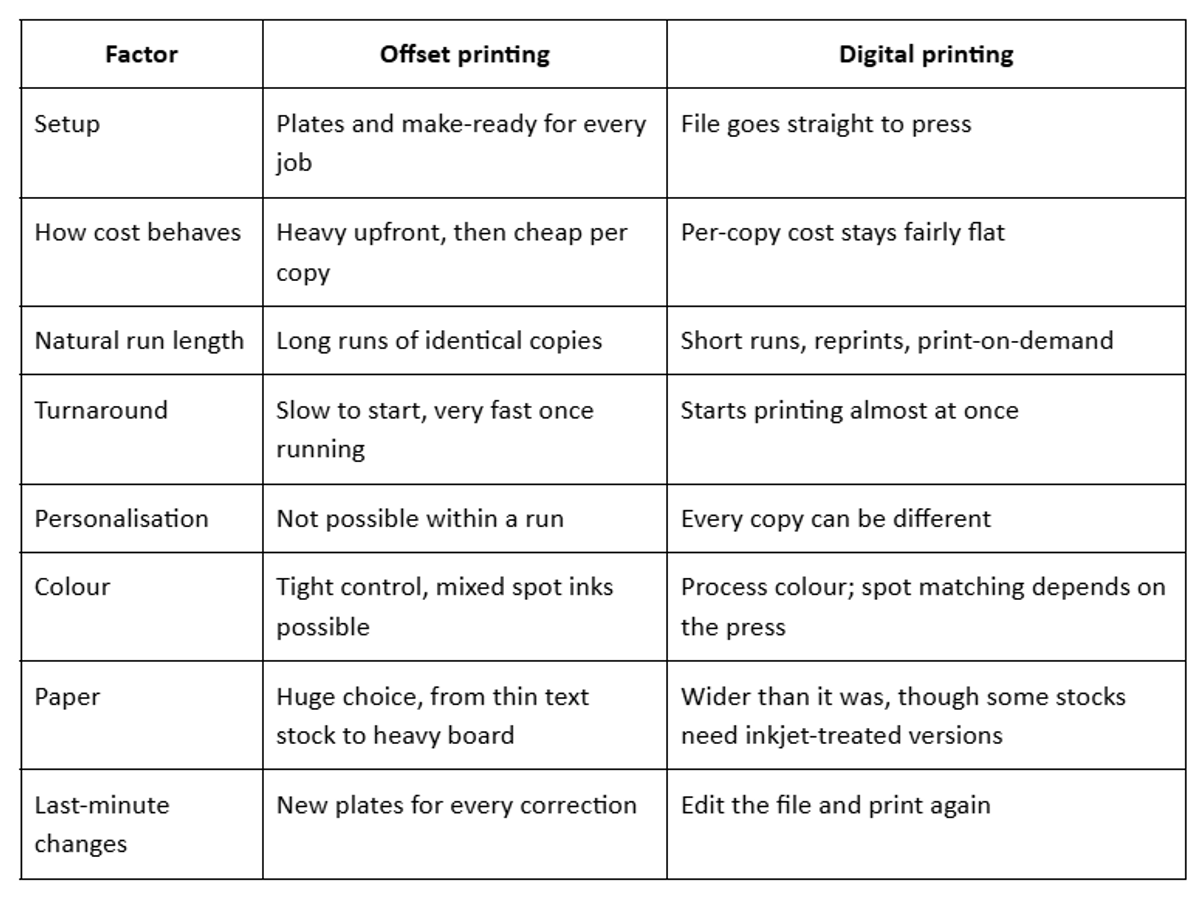
The table narrows things down, but the real decision comes next.
The question most comparisons skip: what's your job mix?
Most pages on this topic are written by print shops for people ordering brochures, and they'll tell you that digital is for small orders and offset is for big ones. Fine advice for a customer. But if you're deciding whether an offset printing machine or a digital printing machine goes on your floor, you need a different starting point. What does a normal month look like?
Pull a few months of job tickets, and add the quotes you lost on price, because those often say more about your gaps than the jobs you won. Sort them roughly:
- Long runs of identical copies that repeat on a predictable schedule
- Short runs and rush jobs that arrived with little warning
- Jobs where copies differ, such as names or language versions
- Work on special stocks or exact brand colours
If the first pile dominates, offset is earning its keep, and a digital press would mostly sit idle. If the second and third piles keep growing, you're probably turning work away. Either that, or you're running it on offset at a loss and quietly calling it customer service because the client has been with you for years.
Short offset jobs carry costs that rarely show up on the quote, starting with plates and make-ready waste and then the wash-up before the next job can begin. Add the operator time spent preparing a press for a job that's over almost as soon as it begins. And there's the stock printed "just in case" because a bigger run looked cheaper per copy. Publishers know that last one well (it's what fills godowns with unsold backlist titles).
Often, the answer is both. Plenty of established printers keep offset for bulk printing and add a digital press for the work that keeps breaking up the offset schedule. Short jobs stop interrupting long ones. The offset crew spends its day on what offset does best.
Offset printing advantages that still matter
Don't write offset off just because digital gets most of the attention at trade shows these days.
Offset printing quality is still the benchmark for consistency over long runs. The last copy of a big job looks like the first. Offset can print mixed spot inks, which matters when a brand's exact shade isn't up for discussion. It also handles an enormous range of paper, right up to heavy board and metallic finishes.
On a truly large run, the offset printing cost per copy is hard to beat. Plates and make-ready are a one-time hit, and across enough copies they almost vanish.
So the core offset printing advantages come down to scale and control, over both colour and paper. Offset isn't going anywhere.
Where digital has the edge
Digital wins whenever setting up the job is a bigger share of the work than printing it.
That covers short first editions and reprints of older titles. It covers textbooks with school-wise versions and labels carrying batch codes. Proofs that need to look exactly like the finished product belong here too, since they come off the same press. It also covers any order the customer needs this week instead of next month, like a corrected exam guide or a label that changed after a packaging rule update.
Print-on-demand changes the stock question too. When a reprint is quick and cheap to set up, a publisher can print what has actually sold rather than guess at what might. The cash stays in the business.
Now the caution. Inkjet doesn't behave like offset on every paper. Standard coated offset stock is made for offset inks, and water-based inkjet ink may not sit on it properly. Inkjet-optimised papers usually fix it. Run your regular stocks through any press before you sign.
Is digital quality good enough now?
For most publishing and commercial work, yes. Offset still pulls ahead on very colour-critical jobs and long runs where absolute sameness matters above everything else. Judge it with your own files, because a demo built on the manufacturer's showcase artwork tells you very little about how your textbooks or labels will come out.
The same split shows up beyond paper
This isn't only about books. Label printing has its own version, with flexo plates for long runs and digital for short ones. Textile printing has it as well: screens and rotary setups on one side, direct digital fabric printing on the other.
The trade-off is the same in all three. You either pay to prepare the press and win on volume, or skip the preparation and win on flexibility.
Frequently asked questions
Is digital printing cheaper than offset printing?
Usually, for short runs. That's because there are no plates or make-ready sheets to pay for before the first saleable copy comes off the press. For long runs of the same item, offset generally costs less per copy. Where the two lines cross depends on the job itself, so compare quotes at the quantity you actually need.
Which gives better quality, offset or digital?
Offset is still the reference for spot colours and colour consistency across very long runs. Modern digital presses are close enough for most books and labels, and for nearly all marketing material.
Can offset printing do personalised or numbered copies?
No. Every copy from a set of plates is identical. Names and serial numbers need digital printing, or a digital unit added to an offset line.
Should a printing business run both?
Depends on the job mix. Printers with steady long runs often keep offset and add digital for short and variable work, which stops small jobs from breaking up the long ones.
What is offset printing best used for?
Large runs of the same item. Think high-volume magazines and bulk textbook editions. In both, the setup cost gets spread across so many copies that it barely registers.