
Back to Blogs
Industry
Print on Demand Book Printing: How It Works and Who Should Use It
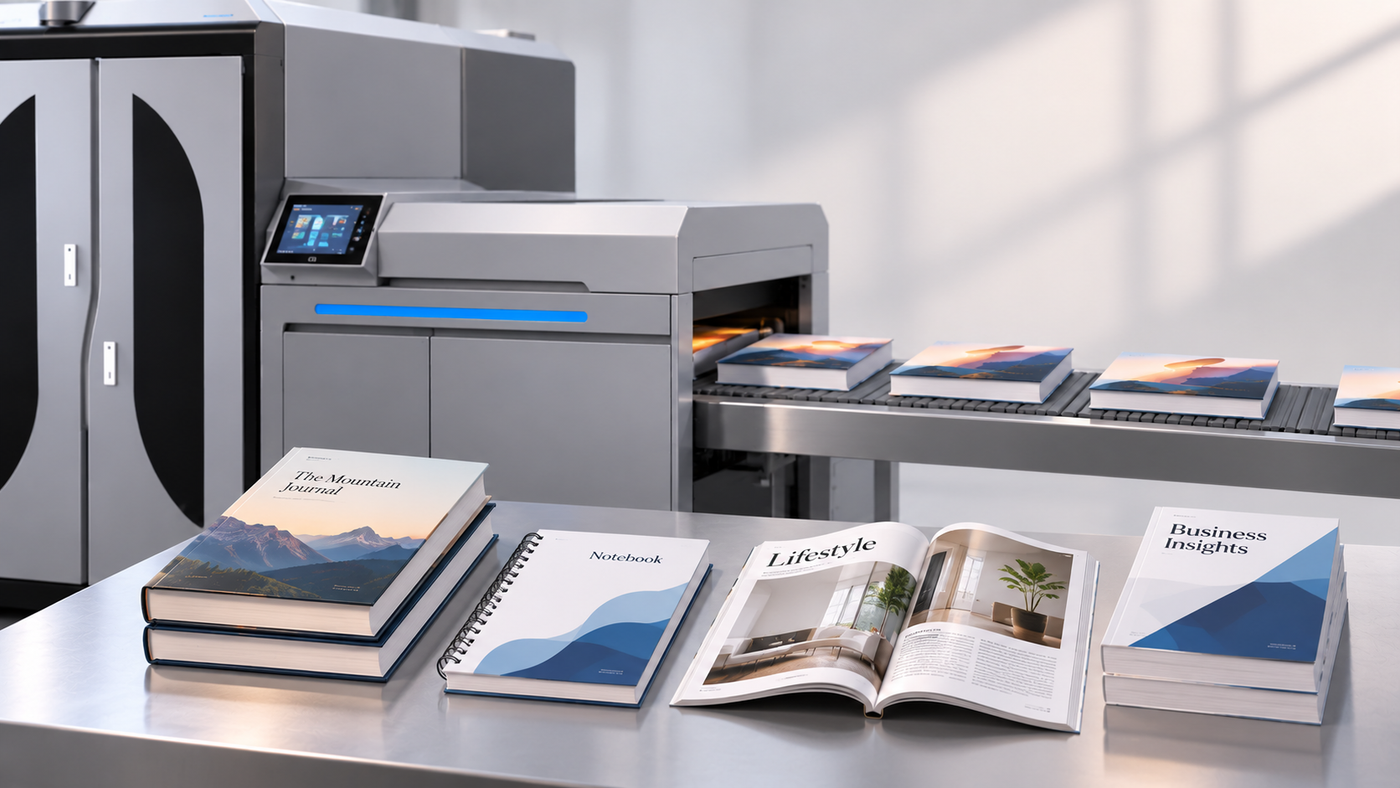
Somewhere in a warehouse right now, there’s a pile of books nobody ordered. Two thousand copies were printed because the per-copy price looked better at that quantity, and now the publisher is paying to store them. Print on demand book printing exists to stop exactly that. You print when someone orders, not before, and a single-pass digital press like the VividPress-E is built to make that practical for print houses and publishers. Here’s how it works and who it suits.
Colorix
4 Oct 2026 · 5 min read
What Is Print on Demand Book Printing?
Simple idea. The book lives as a digital file, and a copy gets printed only when there’s an order for it. One copy, ten copies, a few hundred, whatever the order says.
That’s why you’ll hear it called print on demand books, on demand book printing or just POD. Same thing. No plates, no minimum run, no pallet of unsold stock waiting for a buyer.
How On Demand Book Printing Works
The print on demand publishing workflow is shorter than most people expect.
Step 1: Final files go in. Usually a print-ready PDF for the inside pages and a separate file for the cover.
Step 2: File check. Margins, bleed, fonts and image resolution get looked at before anything prints. Skip this and text ends up creeping into the gutter.
Step 3: Order comes in. A reader buys, a bookstore orders or an author asks for a small batch. That order triggers the job.
Step 4: Digital printing. Pages print straight from the file with no plate making and no setup, so switching from one title to the next is fast.
Step 5: Finishing. Pages are cut, collated, bound and trimmed.
Step 6: Dispatch. The copy ships, and the next job can be a completely different book.
How to Prepare Your Files for Print on Demand
Most Print On Demand problems start with the file, not the press. A little care here saves a reprint later.
- Send a PDF with fonts embedded. A missing font quietly changes your layout.
- Add bleed. If images or colour run to the edge of the page, extend them past the trim line. Three millimetres is the usual ask, but check what your printer wants.
- Give the inner margin extra room. Text near the spine gets swallowed once the book is bound.
- Use images at around 300 dpi. Anything much lower looks soft on paper, even when it looks fine on screen.
- Convert colours to CMYK. Screens show RGB, presses print CMYK, and bright blues and greens are the ones that shift most.
- Keep the cover as a separate file. The spine width depends on page count and paper, so get that number from your printer before designing the cover.
Why Short Run Book Printing Makes Sense Now
Short run book printing used to be painful. High cost per copy, long waits, and a lot of guessing about how many to print. Digital book printing took most of that away.
- No inventory risk. You don’t pay upfront for copies that may never sell.
- Cash stays free. Money goes into editing, design and marketing instead of paper and storage.
- Easy corrections. Spotted a typo? Fix the file and the next copy is right. No pulping a pallet.
- Test before you commit. Print fifty, see how readers respond, then decide on more.
- The backlist stays alive. Older titles stay available without a warehouse full of them.
What Affects the Cost of Print on Demand Books
Quotes vary more than people expect, and the reasons are usually simple.
- Page count. More pages, more paper and more print time.
- Trim size. Odd sizes can waste paper, so standard sizes tend to cost less.
- Paper type and weight. Heavier or specialty stock adds up quickly across a full book.
- Ink coverage. A text-heavy novel and a photo-heavy cookbook are very different jobs, even at the same page count.
- Cover and binding. Paperback, hardcover and stitched formats each carry their own cost.
- Quantity per order. Cost per copy usually eases as quantity rises, though not as sharply as plate-based methods.
Ask for quotes at two or three quantities. The gap between them tells you more than any single price.
VividPress-E for Print on Demand Publishing
The VividPress-E is a single-pass digital inkjet press made for books, magazines and publications. It prints both sides of the paper in one pass, which is what keeps output moving when jobs are short and frequent.
- Single-pass duplex printing: Up to 100 m/min, with front-to-back registration of plus or minus 0.5 mm.
- Full-colour CMYK: Resolution up to 1200 x 600 dpi, with speed and resolution adjustable by mode.
- Water-based pigment ink: Sharp text and strong images on inkjet treated paper and standard coated and uncoated papers.
- 45 to 160 gsm paper range: Covers most book text and light cover stocks.
- Two models: The 440C and the 6600, with roll-to-roll output and optional roll-to-sheet.
- No plates, no minimum run: Single copies are possible, and jobs switch quickly through an automated digital workflow.
Who Should Use Print on Demand?
Both sides of the table, really.
Print houses and book printers. Adding POD means taking on the small, mixed orders that plate-based shops tend to turn away.
Educational and commercial publishers. Seasonal textbook runs, reprints and backlist titles without tying up money in stock.
Small and indie publishers. Smaller runs let you take chances on niche titles that bigger houses pass on.
Institutions and in-plant printers. Schools, colleges, government departments and corporates producing manuals, reports and course books.
Authors and self publishing writers. Self publishing book printing through a POD printer means you keep control of the file, the price and the timeline. If it’s your first book, don’t print a thousand copies. Just don’t.
Choosing Book Printing Services
Not all book printing services are equal, and the cheapest quote is rarely the best one. Check paper options, colour quality, binding types, turnaround time and how the printer handles file problems. Order a proof copy first. Hold it, bend the spine, compare the cover colours with your screen.
If you run a print business and want to offer these services in-house, a press like the VividPress-E gives you the digital side of it, with binding and finishing set up around it.
Common Mistakes to Avoid
- Skipping the proof copy. Colours and margins look different on paper. Always check one.
- Guessing the spine width. A wrong spine means text wrapping onto the back or front cover.
- Placing text too close to the trim edge. Trimming has a small tolerance, so keep important text well inside.
- Using low-resolution images. Pulled from a website, they will look blurry in print.
- Ignoring the binding type. Page count needs to suit the binding, so confirm it before you finalise the layout.
- Printing too many copies too early. Which defeats the whole point of POD.
Frequently Asked Questions
Is print on demand good for self publishing?
Yes. It lets authors publish without paying for a large print run upfront, and copies are produced as orders arrive.
Can I print just one copy?
Yes. With print on demand book printing there is no minimum run, so a single copy is possible.
What file format do I need?
A print-ready PDF for the inside pages and a separate PDF for the cover is the standard. Ask your printer for exact size and bleed requirements.
What happens if I find a mistake after printing?
Fix the file and the next copy comes out correct. Copies already printed stay as they are, which is why a proof copy is worth ordering first.
Is print on demand only for small runs?
No. It suits short runs best, but print houses also use digital presses for mixed jobs, reprints and many titles in one schedule.
Final Thoughts
Print on demand removes the biggest risk in publishing, which is printing more than you can sell. You pay for what’s ordered, you fix mistakes quickly and you keep titles available for as long as you want.
If you’re planning to offer print on demand book printing, explore the VividPress-E digital book printing press and send us your requirements. We’ll help you choose the right setup.